Available on iOS and Android / Interface preview
AI coach
AI strength coach
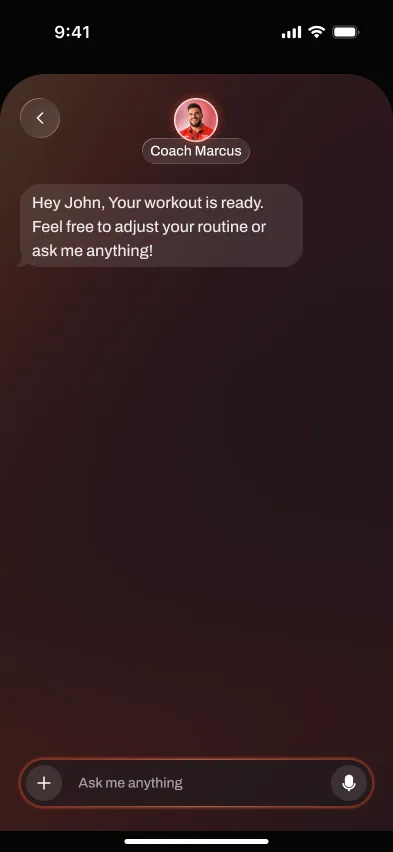
Handler is available on the App Store and Google Play with structured strength plans, workout logging, and contextual coach chat. Handler Pro is required after onboarding.
Short answer
Updated September 22, 2026
Start with a four-week strength plan shaped by your goals, schedule, and equipment. Log your sessions, review your progress, and bring training questions to coach chat. This is our own product, not an independent review or a promise of training results.
We judge the workflow by what happens during real training: starting the session, logging cleanly, keeping momentum between sets, and turning workout history into a useful next step. Product screens shown here come from private testing and do not represent a public store release.
The workflow
How the AI coach works
- 01
Set your profile
Guided setup covers your goals, experience, schedule, and available equipment.
- 02
Get your program
Your setup inputs shape a structured four-week strength plan.
- 03
Train and log
Record sets, reps, weight, and effort as you train.
- 04
Review your training
Review history and progress alongside contextual coach chat and progression targets.
Why it matters
Planning and coaching tools
Answers in context
Discuss training questions alongside your workout context. Chat is not a diagnosis or an in-person technique assessment.
Structured sessions
Keep your plan, logged sets, and progression targets together.
Your training schedule
Include your schedule and equipment during setup, then review your training history as your week unfolds.
Know the limits
AI chat cannot assess an injury or guarantee safe alternatives. Seek qualified guidance for pain or medical concerns.
Workflow comparison
Self-directed or app-planned
An existing program and a notebook or logger can work well together. Handler offers a plan from your setup inputs, with logging and contextual chat in the same app. Choose the amount of planning support you want; neither workflow replaces qualified help for pain or injuries.
Doing it manually
- Choose an existing program or build your own
- Follow your program's progression rules
- Use your preferred training references or coach
- Review your log when adjusting your schedule
Handler test build
- A four-week plan based on your setup inputs
- Progression targets alongside logged performance
- Contextual coach chat for training questions
- History and progress tools for reviewing your plan
Where it helps
Before, during, and after training
The point is not to add another screen to manage. The feature should make the workout easier to start, faster to log, and clearer to review once the session is over.
Before training, it should remove uncertainty about what to do or which load to use. During the workout, it should stay quiet and fast enough for real rest periods. Afterward, it should turn the session into a useful next action instead of leaving the history to interpret manually.
The practical test is whether the feature still saves time, clarifies decisions, or prevents missed data after ten sessions. If it only looks impressive in onboarding, it is decoration.
Evaluation standard
Reviewed around real gym use
Platform support, watch behavior, offline sync, and pricing should be rechecked from first-party pages at publish time. Private-test behavior may change before release.
Workout-floor speed
Logging, checking targets, and moving to the next set should get faster, not create a second screen to manage.
Progression clarity
The feature should explain the next action: add load, hold steady, swap an exercise, rest longer, or adjust the week.
Reliability
Phone, watch, offline, and sync behavior need to hold up under short rest periods and weak gym signal.
Frequently asked questions
Is the AI coach actually personalized?
Can I override what the coach suggests?
What if I get injured mid-program?
Does it replace a human coach?
Available on iOS and Android
Put your next workout in Handler.
Build a strength plan, log your sets and review your next targets with contextual coach chat. Handler Pro is required after onboarding; subscription terms are shown before purchase.